
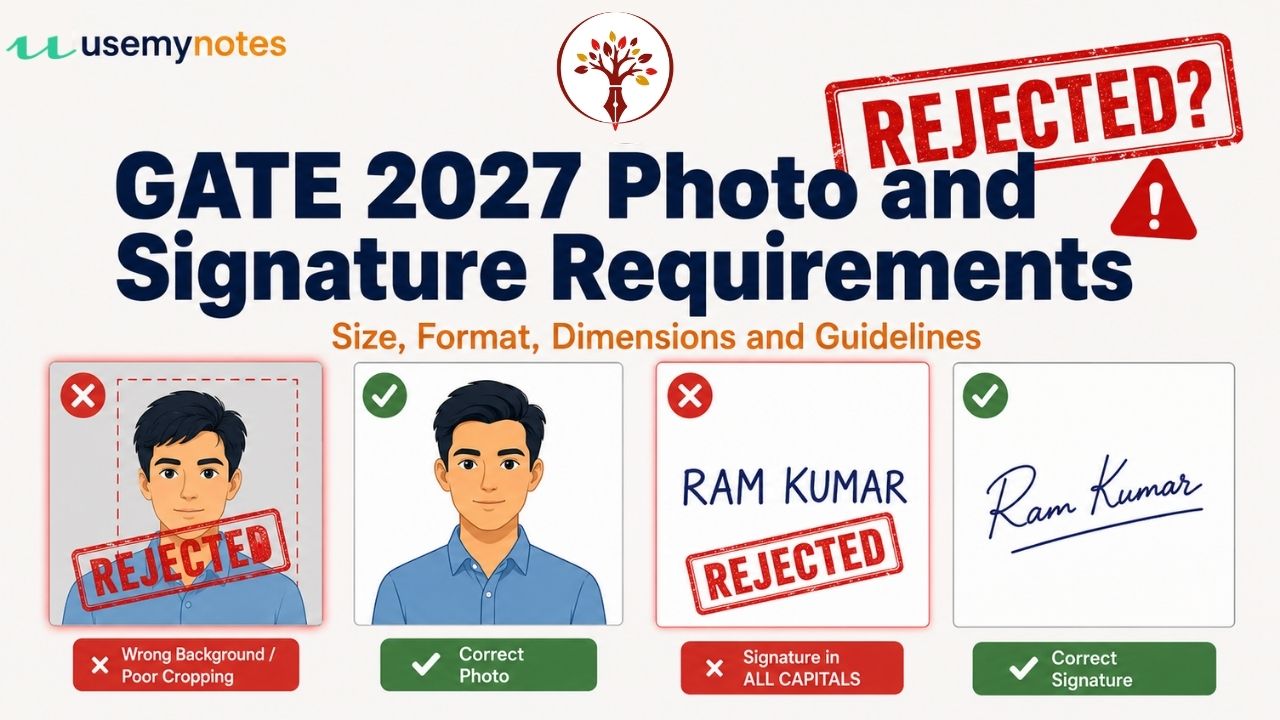
Getting the GATE 2027 photograph size and the GATE 2027 signature size wrong is one of the easiest ways to get stuck at the application step, even after you have your eligibility, category and fee details sorted. IIT Madras checks every uploaded photograph and signature against a fixed set of rules on GOAPS, and a file that does not match those rules is simply rejected at the upload stage, or worse, flagged much later.
This article lays out the exact GATE 2027 photo size and GATE 2027 signature size limits, the accepted format, the pixel dimensions, and the common mistakes that trip up candidates every year. If you have not started your form yet, it helps to first check the GATE 2027 eligibility criteria, keep the documents required for GATE 2027 ready, and confirm the GATE 2027 application fee for your category, since GATE 2027 registration is now live on GOAPS. Once those are ready, the photograph and signature are usually the last two files candidates upload, and the ones that cause the most avoidable errors.
GATE 2027 Photograph and Signature Requirements Overview
Before going into each rule in detail, here is a side-by-side look at the GATE 2027 photograph and signature specifications as published by IIT Madras. Keep this table open while you scan or edit your files, since the GATE 2027 photo requirements and GATE 2027 signature requirements are checked separately and a mismatch in either one will block your submission.
| Particular | Photograph | Signature |
|---|---|---|
| File format | JPEG/JPG | JPEG/JPG |
| File size | 5 KB to 600 KB | 3 KB to 300 KB |
| Pixel resolution | 200 x 260 px (min) to 530 x 690 px (max) | 250 x 80 px (min) to 580 x 180 px (max) |
| Aspect ratio | 0.66 to 0.89 | 1:R, where R is between 2.75 and 3.75 |
| Physical size (reference) | Passport size, 3.5 cm width x 4.5 cm height | Not applicable |
| Coverage inside the frame | Face covers 60% to 70% of the photograph | Signature covers 70% to 80% of the image |
| Background/ink | Plain white background, no other objects or persons | Black or dark blue ink only |
GATE 2027 Photo Size, Format and Dimensions Explained
The GATE 2027 photograph size has to sit inside two limits at once: a file size range and a pixel resolution range, and both are checked when you upload. Getting the GATE 2027 photo size right the first time saves you from re-scanning or re-editing the image later in the form.
- Format: the photo must be a JPEG or JPG file. PNG, PDF, BMP or any other format will not upload.
- File size: the GATE 2027 photograph size must be between 5 KB and 600 KB. Files smaller than 5 KB are usually too low-quality to pass, and anything above 600 KB will be rejected outright.
- Pixel resolution: the GATE 2027 photo dimensions in pixels must fall between 200 x 260 px at the minimum and 530 x 690 px at the maximum. This resolution range, together with the file size limit, is what most tools mean when they check the GATE 2027 photograph size.
- Physical reference size: think of it as a standard passport-size photograph, 3.5 cm in width and 4.5 cm in height, which is the same proportion the pixel limits are built around.
- Aspect ratio: the image’s width-to-height ratio must stay between 0.66 and 0.89. A photo cropped too square or too narrow will fail this check even if the GATE 2027 photograph size in kilobytes is fine.
- Face coverage: your face should fill 60% to 70% of the photograph, taken as a frontal view looking directly into the camera, with your forehead, eyes, nose and chin all clearly visible.
- Background: use a plain white background with nothing else in the frame, no other person, object or pattern.
- Head and face: caps, hats, sunglasses and coloured glasses are not allowed, and head coverings are permitted only for religious reasons. Regular prescription spectacles are fine, but if there is glare on the lenses in the photo, you will need to remove them and retake it.
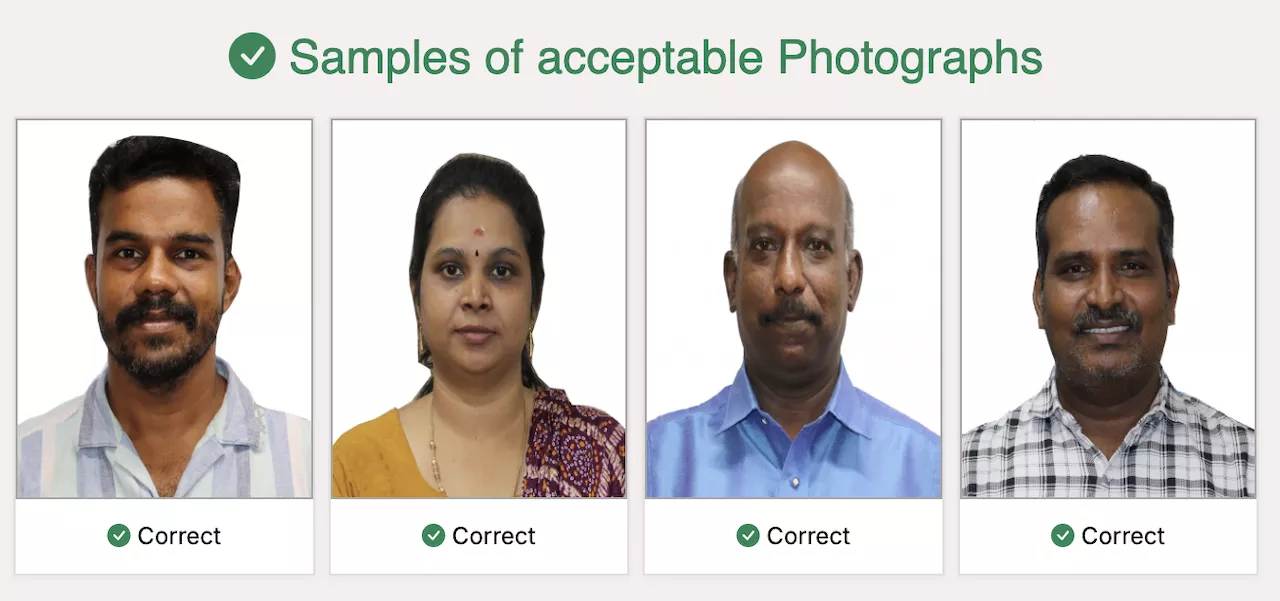
Together, these rules make up the complete set of GATE 2027 photo requirements. A photo that is technically the right file size but shows you at an angle, wearing sunglasses, or against a coloured wall will still be treated as not meeting the GATE 2027 photograph requirements.
GATE 2027 Signature Size, Format and Dimensions Explained
The GATE 2027 signature size works on the same two-part logic as the photo: a file size limit and a pixel resolution limit, but with its own numbers. Most candidates get the GATE 2027 signature size wrong not because of the file itself, but because of how the signature is made before it is even scanned.
- Format: the GATE 2027 signature format must be JPEG or JPG only, same as the photograph.
- File size: the GATE 2027 signature size must be between 3 KB and 300 KB.
- Pixel resolution: the GATE 2027 signature dimensions in pixels must be between 250 x 80 px at the minimum and 580 x 180 px at the maximum.
- Aspect ratio: the height-to-width ratio must be 1:R, where R falls between 2.75 and 3.75, which is why a signature image is always wide and short rather than square.
- Coverage inside the frame: the signature itself should cover 70% to 80% of the image, so avoid scanning a large blank sheet with a tiny signature in one corner.
- Ink colour: sign only in black or dark blue ink. Gel pens in other colours, pencil, or typed signatures are not accepted.
- Style: your signature must be your own usual signature, in your normal handwriting style. Signing in ALL CAPITAL letters is specifically listed as not acceptable, and someone else signing on your behalf is not allowed under any circumstance.
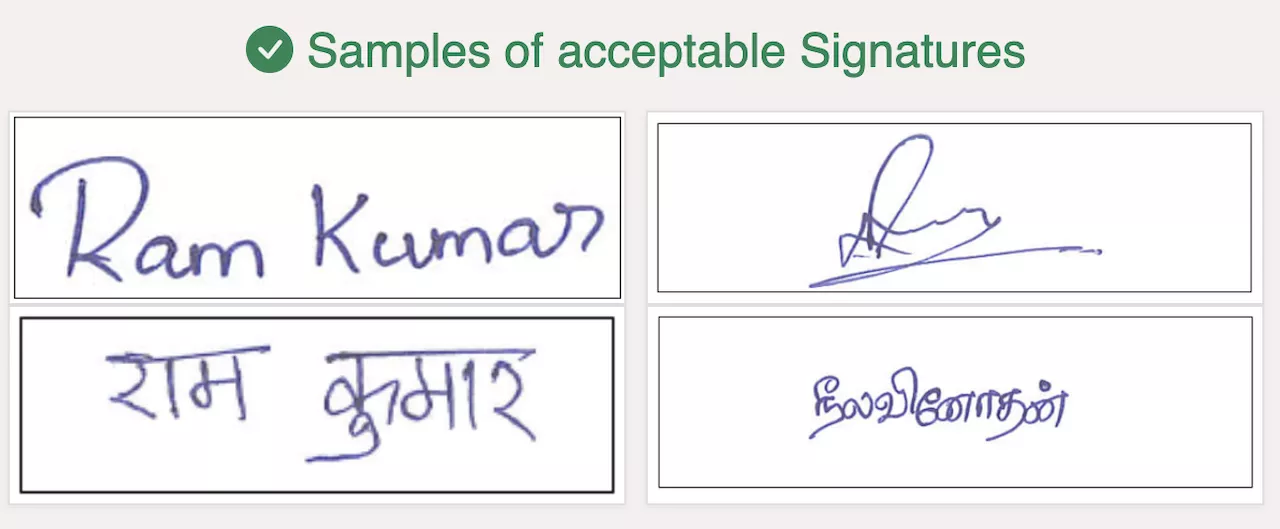
These points cover the full set of GATE 2027 signature requirements. Since this file goes through both the GATE 2027 photo format check and its own GATE 2027 signature format check, it is worth scanning it separately from the photograph rather than cropping both out of a single combined scan. A quick way to confirm you are within range is to check the GATE 2027 signature size and the GATE 2027 photograph size against the table above before you attempt the upload.
Common GATE 2027 Photo and Signature Mistakes That Get Applications Rejected
Most rejections at this stage are not about candidates ignoring the rules, but about small gaps between what the GATE 2027 photo upload requirements say and what actually gets scanned or photographed. Getting the GATE 2027 photograph size and the GATE 2027 signature size right on the first attempt avoids nearly all of the mistakes below.
GATE 2027 Photo mistakes
- Using an old photo that no longer looks like you, or one taken years ago for a different purpose.
- A coloured, patterned or shadowed background instead of plain white.
- Wearing sunglasses, a cap, or a photo taken at an angle instead of a straight frontal view.
- Cropping the image so tightly that the aspect ratio falls outside 0.66 to 0.89, or so loosely that the face covers far less than 60% of the frame.
- Compressing the photo too much to fit under 600 KB, which then drops the pixel resolution below the 200 x 260 px minimum. Always check the GATE 2027 photograph size against both the file size and pixel limits before you save the final file.
GATE 2027 Signature mistakes
- Signing in block or capital letters instead of your normal signature style.
- Using a blue or black gel pen that has faded, making the scan look grey rather than a clear dark colour.
- Scanning a full sheet of paper instead of cropping tightly around the signature, which fails the 70% to 80% coverage rule.
- Signing differently from how you sign on your other official documents, since a mismatched signature on exam day can lead to disqualification, not just a form error.
- Ignoring the GATE 2027 signature size limits and uploading a scan straight from a phone camera without checking the file size or pixel resolution first.
How to Upload Photograph and Signature on the GATE 2027 Application Form
The photograph and signature upload step comes after you have filled in your personal, academic and category details on GOAPS. Keep both files ready on your device before you start this step, since the portal does not let you save an incomplete upload and come back to it easily. Have the correct GATE 2027 photograph size and GATE 2027 signature size files saved separately so you are not editing them under time pressure mid-form.
- Take or scan the photograph and signature separately, following the GATE 2027 photo requirements and GATE 2027 signature requirements listed above.
- Resize or compress each file with a basic photo editor until it fits the GATE 2027 photo size or GATE 2027 signature size range, whichever file you are working on.
- Log in to GOAPS and go to the photograph and signature upload section of the application form.
- Upload the photograph first, check the on-screen preview to confirm the face is centred and the background is plain white, then confirm.
- Upload the signature next, check that it is not stretched or cropped oddly by the portal’s preview, then confirm.
- Save your progress and move to the next section of the form only after both uploads show as accepted.
If either file does not meet the GATE 2027 photo upload requirements or GATE 2027 signature upload requirements, GOAPS will reject it immediately with an error message rather than letting you continue, so you will know right away if a file needs to be redone.
FAQs on GATE 2027 Photo and Signature Requirements
What is the correct GATE 2027 photograph size?
The GATE 2027 photograph size must be a JPEG or JPG file between 5 KB and 600 KB, with a pixel resolution between 200 x 260 px and 530 x 690 px, and an aspect ratio between 0.66 and 0.89.
What is the correct GATE 2027 signature size?
The GATE 2027 signature size must be a JPEG or JPG file between 3 KB and 300 KB, with a pixel resolution between 250 x 80 px and 580 x 180 px, and a height-to-width aspect ratio of 1 : R where R is between 2.75 and 3.75.
Can I wear spectacles in my GATE 2027 photograph?
Yes, normal prescription spectacles are allowed in the photograph. However, if there is glare on the lenses that hides your eyes, the spectacles must be removed and the photo retaken. Sunglasses and coloured glasses are not allowed under any circumstance.
Can I sign my GATE 2027 application in capital letters?
No, signing in ALL CAPITAL letters is specifically listed as not acceptable. You must upload your normal signature, in your usual handwriting style, in black or dark blue ink.
What happens if my GATE 2027 photo or signature does not meet the requirements?
GOAPS will reject a file that does not match the specified format, size, or dimensions at the upload stage itself. If an incorrect file somehow gets accepted and is found later, the application can be rejected without a refund of the application fee.
Does my GATE 2027 signature need to match my signature on exam day?
Yes. If the signature you upload during registration does not match the signature you provide at the exam centre, you could be disqualified, so it is important to keep your signature consistent throughout the process.